PLC Data Log
The PLC keeps a data log on a micro SD card. The log is the record of what the unit was doing at any past moment, and it is the first thing Thermex Systems support asks for when diagnosing an intermittent problem.
What is recorded
The card holds two logs. Both are plain text files with comma-separated values (CSV), which open in any spreadsheet program.
| Log | A row is written… |
|---|---|
Main |
Each time the system state changes, with the state text and the outputs and readings at that moment. Also every 30 minutes as a heartbeat (state text |
Param |
With the current settings and calibration values: at power-up, when the password is entered, when the password times out (so that any change made in the menus is captured), and on the first day of each month. |
Retrieving the log
The card sits in the MICRO SD port on the face of the HMI panel, above the PLC HMI:
-
Gently push the card in. It releases and springs out.
-
Remove the card and read it in a computer with a card reader.
-
Copy the log files to the computer. Do not edit or delete the files on the card.
-
Put the card back in the port and push it in gently until it latches.
The PLC cannot record while the card is out, so return it promptly.
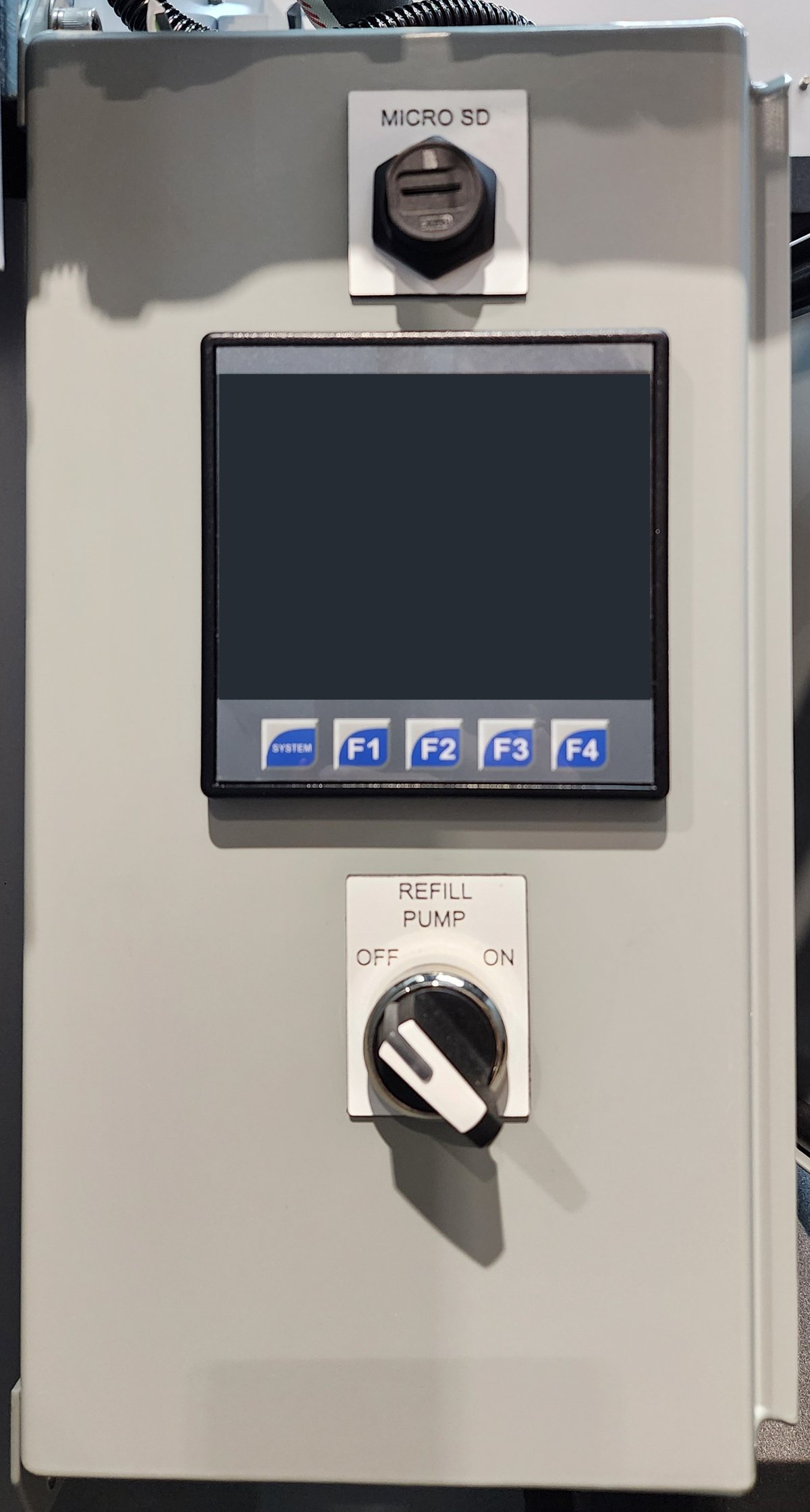
MICRO SD port is at the top of the HMI panelWhen you send a log to Thermex Systems, send both the Main and the Param files, and give the unit serial number.
Reading the Main log
| Column | Meaning |
|---|---|
|
When the row was written, from the PLC clock. |
|
The system state — the same text as the banner on the Home screen. |
|
Circulation pump output: |
|
Boiler enable output: |
|
Refill pump output: |
|
Alarm strobe output: |
|
Auxiliary circulation pump output: |
|
Cabinet cooling fan output: |
|
LCD screen heater output: |
|
Tank temperature, °F. |
|
Cabinet ambient temperature, °C. |
|
Temperature at the HMI screen, °C. |
|
Low-water cut-off sensor: |
|
Tank level, %. |
State text longer than the column allows is cut short in the log — for example REFILL TIMER EXPIRED. The full list of states is in Status — System states.
Reading the Param log
Column names are cut to 16 characters in the file. The columns an operator can relate to a setting are listed below; the remaining columns are calibration values for use by Thermex Systems.
| Column (as it appears) | Setting |
|---|---|
|
Fill time limit, seconds. See Fill Time Limit. |
|
Refill Max Pressure, in tenths of a PSI: |
|
Cooling fan setpoints (°C) and delay (s). See Cooling fan. |
|
LCD screen heater setpoints (°C) and delay (s). See LCD screen heater. |
|
Auxiliary circulation pump setpoint (°F) and enable. |
|
Unit serial number and controller identifier. |
|
PLC software version — the same text as the Version line on the Status screen. |