Operation Overview
Day-to-day operation uses the Start, Stop, and Reset buttons on the manifold control panel, the indicator lamp, and the pressure gauge. The PLC runs the circulation pump, enables the boiler, and keeps the storage tank filled from the supply drum without operator action. This page summarizes a normal operating session and points to the page that covers each task.
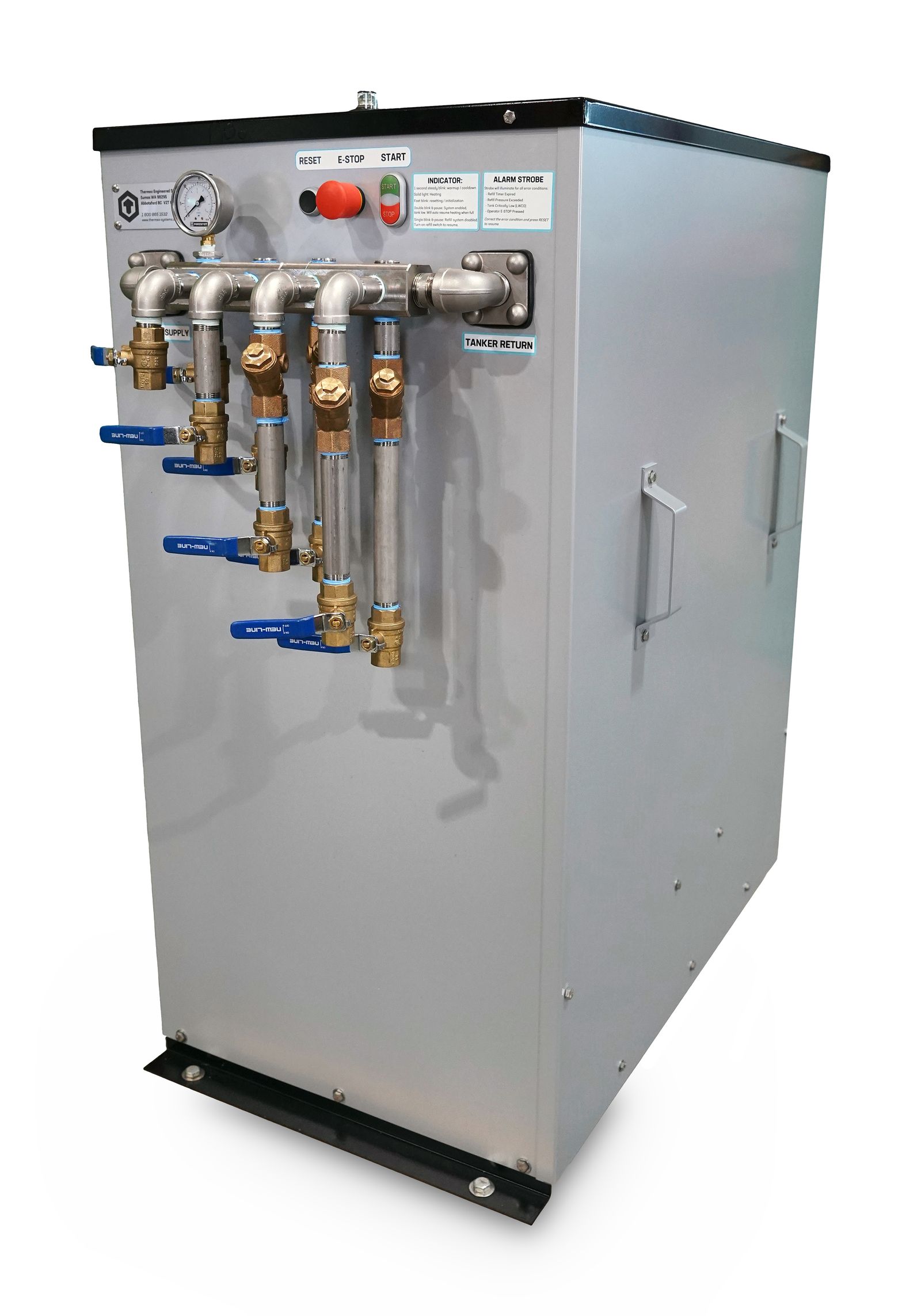
A normal operating session
| Stage | What happens | PLC banner | Indicator lamp |
|---|---|---|---|
Standby |
The unit is powered and waiting for Start. The refill system still tops up the storage tank as needed. |
|
— |
Start and warmup |
Press Start. The circulation pump runs and the boiler is enabled. Glycol reaches 190 °F in 15–20 minutes, depending on ambient temperature. |
|
1-second steady blink |
Heating |
Glycol is at operating temperature. Connect tankers — see Connecting Tankers. |
|
Solid |
Refill during heating |
Each connected tanker draws the storage tank down by 3–5 gallons. Below 50 % the refill pump runs until the tank reaches 95 %. Heating continues. |
|
Solid |
Stop and cooldown |
After the last tanker is disconnected, press Stop. The boiler is disabled and the circulation pump runs through its off-delay, then the unit returns to standby. |
|
1-second steady blink during cooldown |
Conditions that pause or stop heating
| Condition | What the unit does | What you do |
|---|---|---|
Tank very low (below ~3 %) without LWCO tripping — banner |
Pauses circulation and heat while the refill pump fills the tank, then resumes automatically at 95 %. |
Nothing, unless it persists — see Precaution mode. |
Refill Pump Switch |
Locks out the refill pump and does not heat. |
Turn the switch |
Latched fault — |
Stops and locks out until reset. |
Correct the cause, press Reset, then Start — see Troubleshooting — System lockout. |
Where to find each task
-
First startup — and after every drain and refill — Startup & First Heat Cycle. The air purge on this page is mandatory.
-
Connecting and disconnecting tankers — Connecting Tankers
-
Adjusting the target temperature — Temperature Control
-
Keeping glycol supplied, and refill faults — Refill System Operation
-
Weekly drum check and monthly strainer cleaning — Periodic Maintenance
-
Reading system state on the PLC — PLC Status Screen