PLC Controller Overview
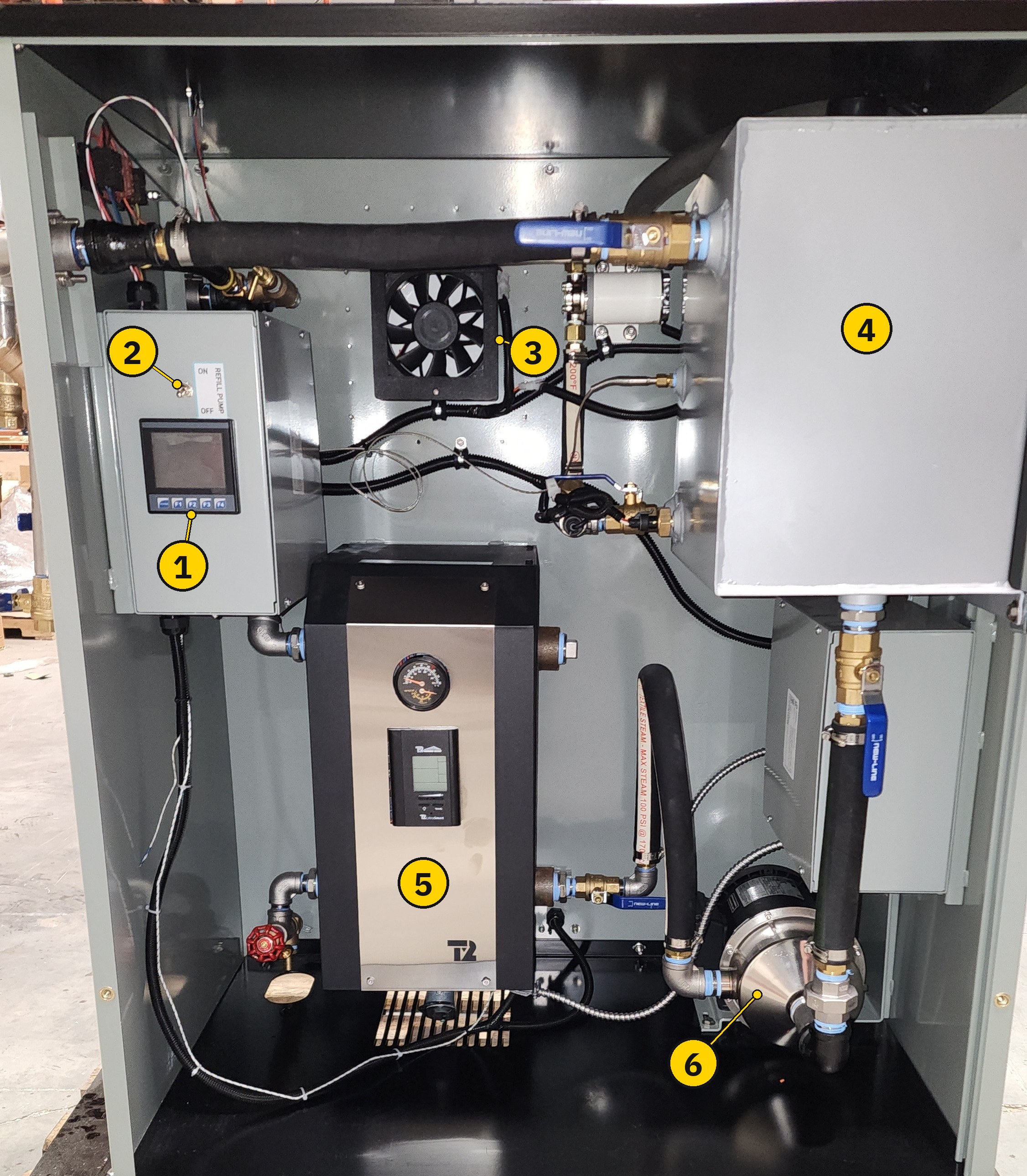
The TankerTherm 123 includes an industrial PLC with an integrated touchscreen HMI on the inside-left wall of the cabinet. The PLC continuously supervises pumps, refill, and fault handling, drives the indicator lamp and alarm strobe, logs events, and provides remote-monitoring outputs.
Operators only need the HMI for calibration, maintenance, and troubleshooting — day-to-day operation uses only the Start, Stop, and Reset buttons on the manifold control panel and the indicator lamp / pressure gauge for at-a-glance status. As long as the supply drum has glycol, the unit needs no other operator input.
This documentation describes PLC software v2.2.
|
What the PLC does — and does not do
The PLC supervises pumps, refill, and fault handling. It enables and disables the boiler. The boiler itself continues to be regulated by its own onboard digital controller (see Temperature Control). |
Hardware location
The PLC HMI is mounted on the inside left wall of the cabinet, visible when the cabinet door is open.
Home screen
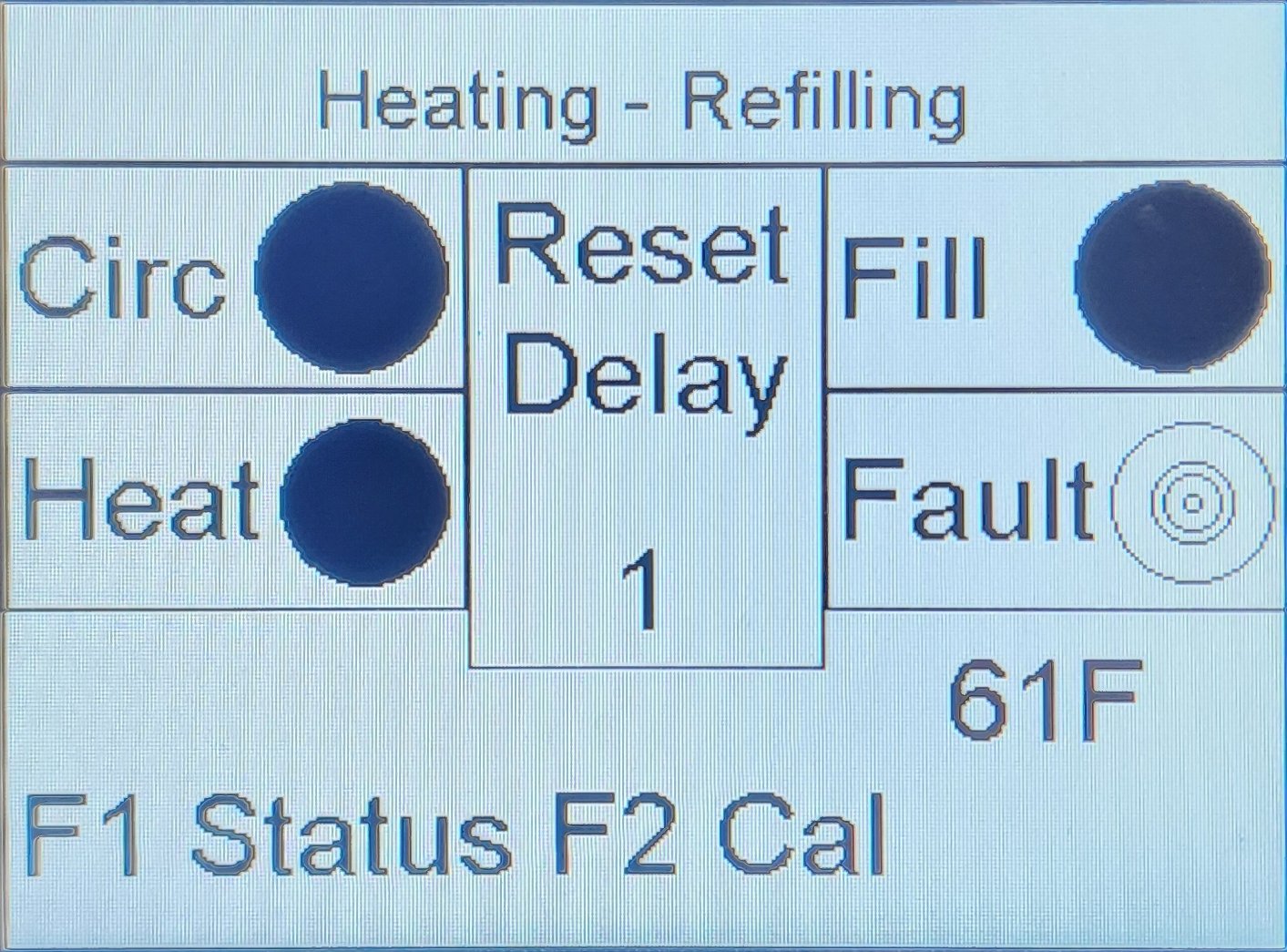
The Home screen is the default view and shows live system state at a glance.
| Element | Meaning |
|---|---|
Banner (top) |
Current system state — verbatim text string. Common values include |
Circ |
Circulation pump output. Filled circle = pump running. Hollow ring = pump off. |
Heat |
Boiler enable output. Filled circle = boiler enabled. Hollow ring = boiler not enabled. |
Fill |
Refill pump output. Filled circle = refill pump running. Hollow ring = refill pump off. |
Fault |
Filled circle = a fault is latched (mirrors the alarm strobe). Hollow ring = no fault. |
Reset Delay (centre) |
Countdown shown when the system is in the post-fault reset hold (typically 1 s). |
Tank temperature |
Current tank-temperature reading in °F (from the tank-temp probe). |
Function-key legend |
|
Navigation
|
PLC navigation at a glance
|
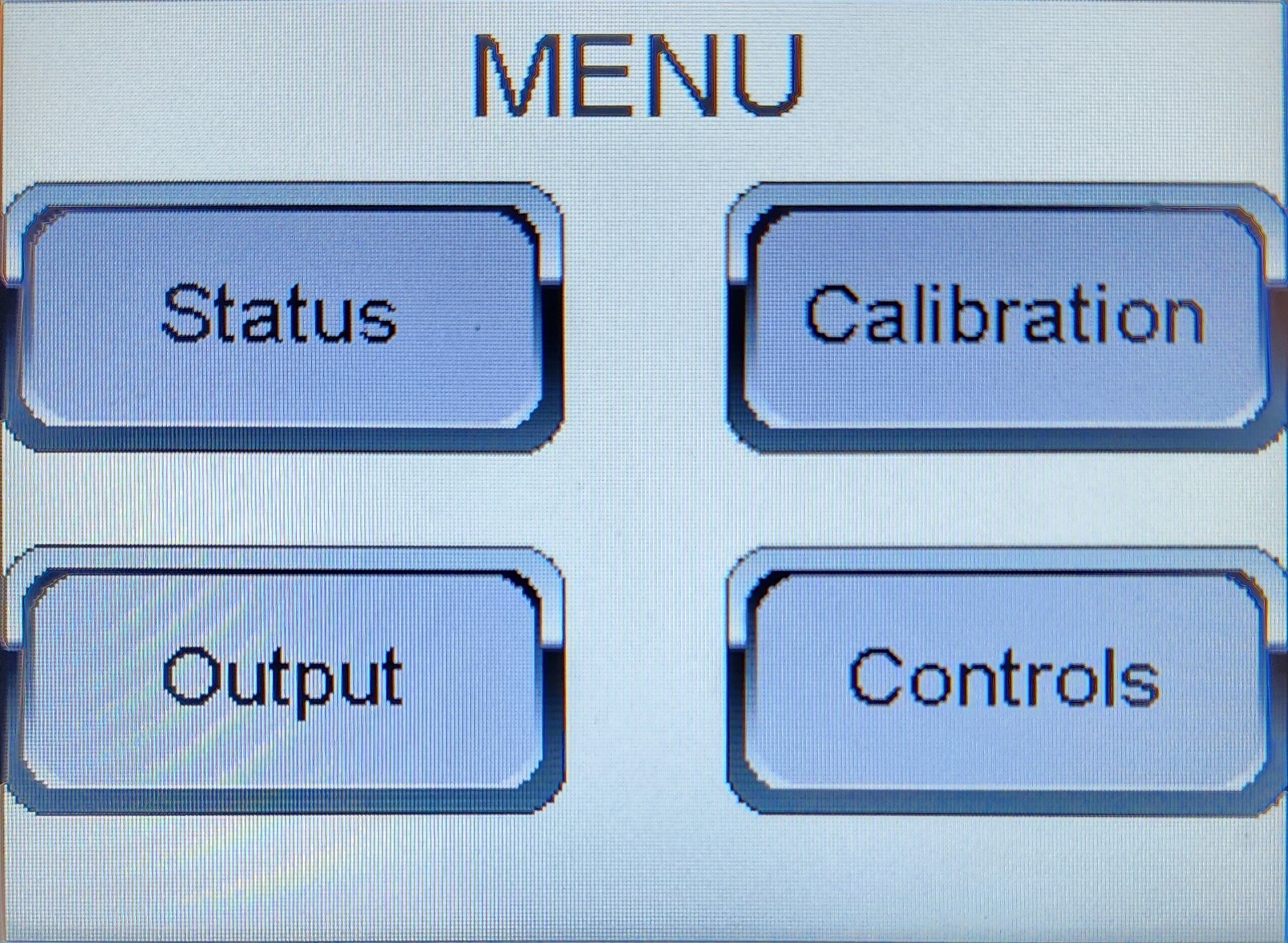
The four Menu sections are:
-
Status — Live readouts (circulation, heat, refill, LWCO, tank level, …). The same content is reachable directly from the home screen via F1 without the password.
-
Calibration — Tank level, temperature probes, and refill pressure calibration.
-
Output — Manual tests of the alarm strobe, indicator lamp, and analog tank-temperature output.
-
Controls — Adjustable parameters and the air purge: cooling fan setpoints, LCD-screen heater setpoints, the Tank Heat thermostat, and the PURGE screen. The fill time limit is reached through Calibration.
Password
The Menu and everything past it — Calibration, Output tests, Controls — is reached via F2 from the home screen and is password-protected. The home screen and the F1 Expanded Status screen are not.
Most monitoring and routine troubleshooting can be done from the F1 Expanded Status (live readouts including tank level, fault state, and current sensor values) without entering the password. The password is required only when you need to change something — calibrate, test outputs, adjust setpoints. Day-to-day operators do not use the PLC at all.
-
Press F2 from the home screen.
-
Tap the centre of the screen to bring up the on-screen number pad.
-
Enter
60525. -
Confirm. The Menu opens.
When you have finished, press F1 from any Menu or sub-screen. The home screen returns and the password is cleared — the next person to access the Menu will have to re-enter it.
|
Password
The password is It is included in this manual because it gates against accidental change rather than against unauthorized access. If your installation requires stricter access control, contact Thermex Systems to configure a site-specific password. |
Manifold panel indicators
The PLC drives two indicators on the manifold control panel: the indicator lamp, which reports system state, and the alarm strobe, which reports latched faults.
Indicator lamp
The indicator lamp on the manifold control panel reports system state at a glance. The same legend is printed on the panel beside the lamp.
| Pattern | Meaning |
|---|---|
1 second steady blink |
Warmup / cooldown |
Solid light |
Heating |
Fast blink |
Resetting / initialization |
Double blink & pause |
System enabled, tank low. Will auto resume heating when full. |
Single blink & pause |
Refill system disabled. Turn on refill switch to resume. |
The same indicator signal is available at the Remote Output Box for connection to an external scoreboard or remote PLC.
Alarm strobe
The strobe on the manifold control panel illuminates whenever the PLC has latched a fault condition. The same trigger conditions are listed on the panel label beside the strobe.
The strobe illuminates for any of the following error conditions:
-
Refill Timer Expired — see Fill Time Limit
-
Refill Pressure Exceeded — see Refill Pressure
-
Tank Critically Low (LWCO)
-
Operator E-STOP Pressed
-
Refill pressure sensor fault — banner
REFILL SENSOR FAULT. This cause is not listed on the panel label. See Troubleshooting.
To recover from a strobe-active state:
-
Identify the cause from the home-screen banner or the Status screen.
-
Correct the underlying condition (replenish glycol, clear an obstruction, release the E-Stop, etc.).
-
Press the external Reset button on the manifold control panel.
-
The system enters a brief
Resetting- Waithold, then settles atOFF- Ready. -
Press Start to resume heating.
For cause-by-cause resolution steps, see Troubleshooting — System lockout and warning strobe active.
The same strobe signal is available at the Remote Output Box for connection to an external scoreboard or remote PLC.
Remote monitoring and event logging
The PLC drives an analog output that mirrors the tank temperature for connection to a remote monitoring or data-acquisition system. Output range is 0–10 V representing 0–200 °F (20 °F per volt). See Temperature Analog Output for verification and simulation.
In addition, every system-state transition is recorded as an event in the unit’s data log, and the current state is logged at periodic intervals as a heartbeat. The state strings recorded in the log are the same strings shown in the home-screen banner — see Status — System states for the full list. To retrieve the log, see PLC Data Log.
See also
-
Troubleshooting — for fault-condition recovery