Initial System Fill
Before the first heat cycle, fill the internal storage tank with glycol from a 55-gallon supply drum.
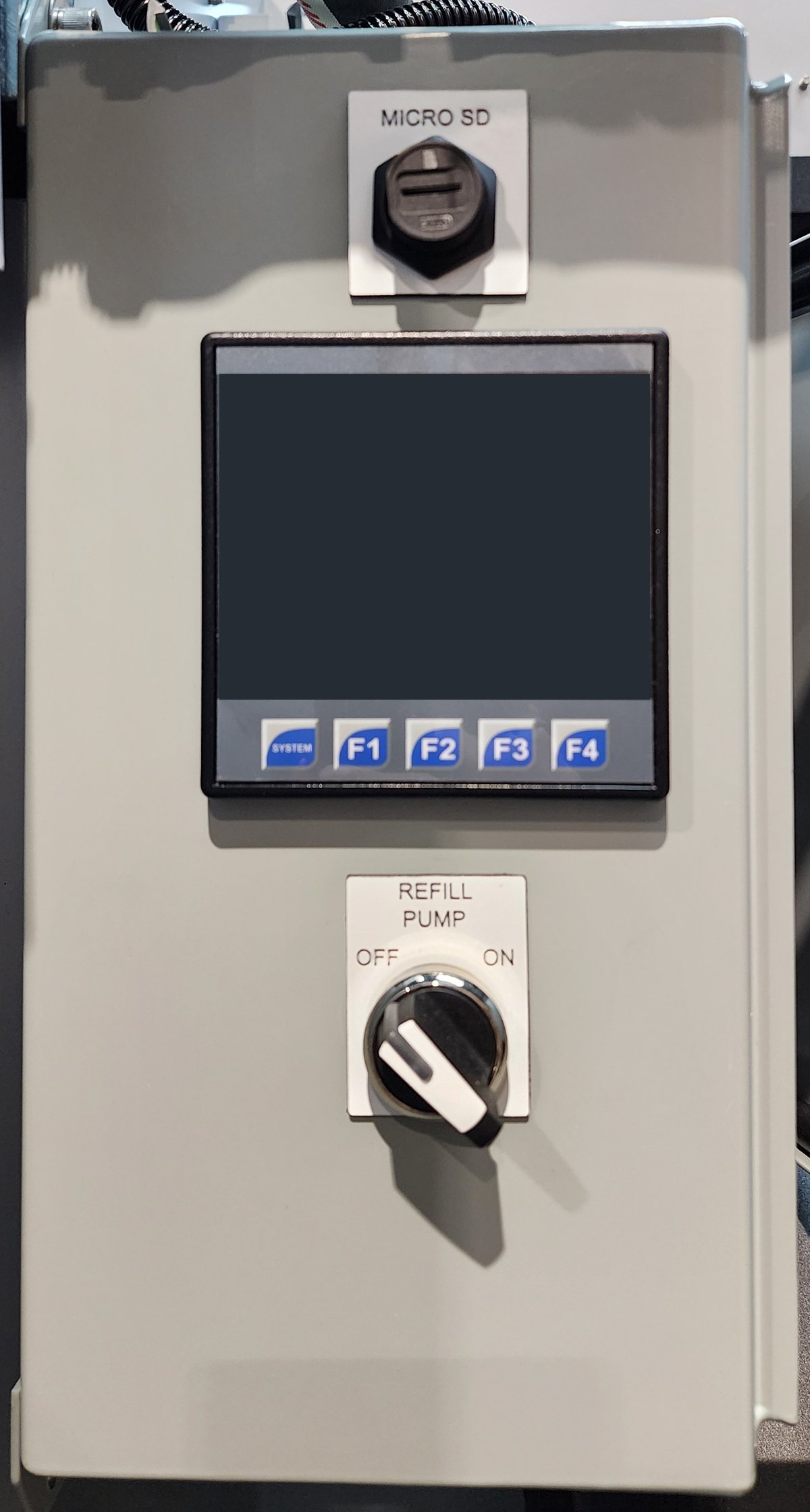
REFILL PUMP, below the PLC HMI. The micro SD port is above the HMI.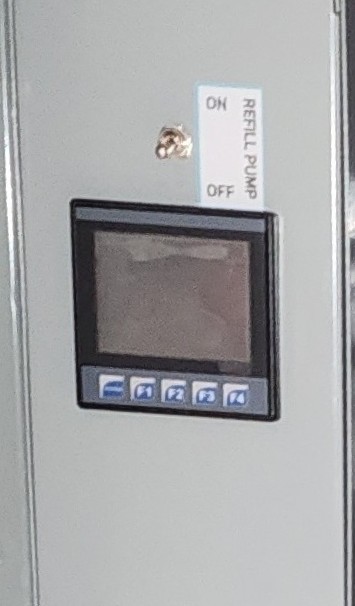
The Refill Pump Switch enables the automatic refill system; it is not a manual pump control. With the switch ON, the PLC runs the refill pump whenever the storage tank needs glycol. With the switch OFF, the refill pump is locked out and the unit will not heat — see Refill Pump Switch.
Procedure
-
Confirm a full 55-gallon glycol supply drum is positioned adjacent to the unit and connected to the suction tube/hose assembly.
-
Turn the Refill Pump Switch to the
ONposition (on earlier units with a toggle, toggle up). -
The refill pump will immediately engage and begin drawing glycol from the drum.
|
Expected fill duration
Initial fill takes 3–4 minutes. The refill pump will automatically deactivate when glycol volume reaches the 95% level. |
After initial fill
Leave the Refill Pump Switch in the ON position for normal operation —
see Refill System Operation.
Next step
Proceed to Startup & First Heat Cycle to purge air from the system and commence heating.